|
Universal Document Converter makes it easy to convert PowerPoint presentations into any of the most popular graphic formats, such as PNG, BMP and GIF. Since this is a fairly rare task, it is difficult to find a tool that can handle it. Universal Document Converter is the optimal solution for converting PowerPoint presentations to a graphic format, combining an easy-to-use virtual printer with a powerful set of tools for controlling output settings.
Please follow this manual to start converting of PowerPoint presentations.
-
Download and install Universal Document Converter software onto your computer.
-
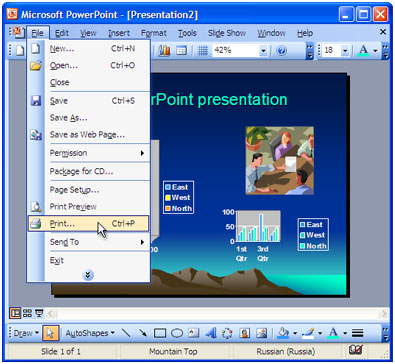
Open the presentation in Microsoft PowerPoint and press File->Print... in application main menu.
-
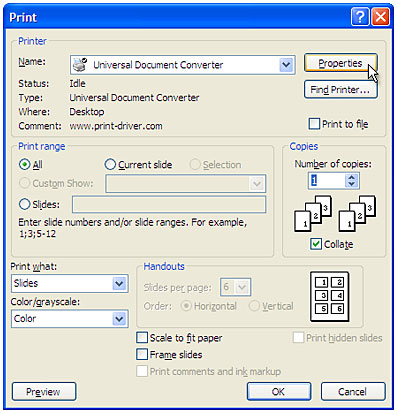
Select Universal Document Converter from the printers list and press Properties button.
-
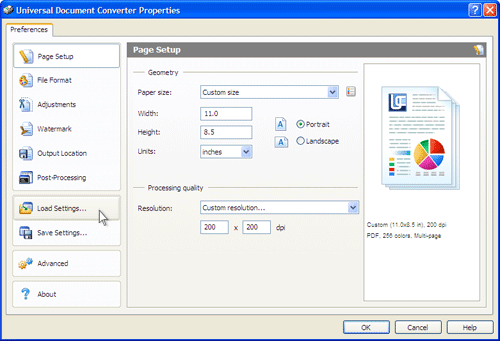
On the settings panel, click Load Properties.
-
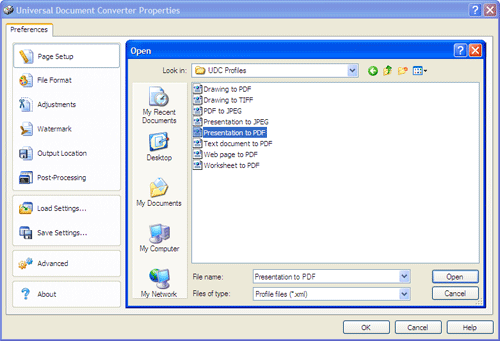
Use the Open dialog to select "Presentation to PDF.xml" and click Open.
-
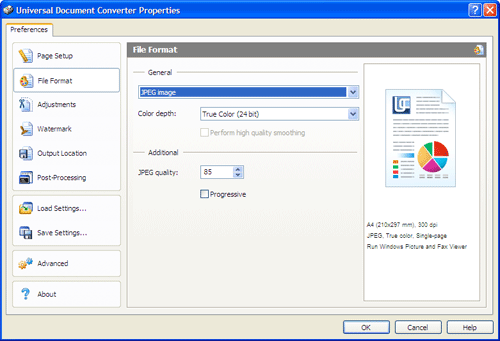
Select the required image format on the File Format tab and click
OK to close the Universal Document Converter Properties window.
-
Press OK in Microsoft PowerPoint Print dialog to start converting. When the image file is ready, it will be saved to the My Documents\UDC Output Files folder by default.
-
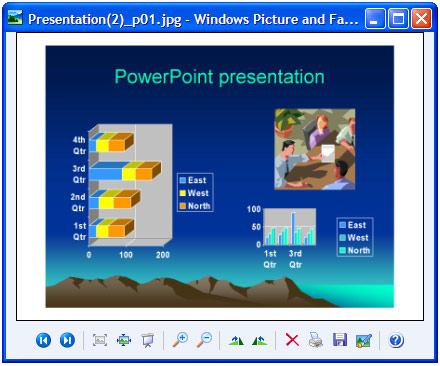
The converted presentation will then be opened in a program adjusted as a default image viewer on your computer.
|