|
Many types of documents contain technical drawings ? usually created in AutoCAD ? in addition to text. This gives rise to the problem of how to incorporate technical drawings into electronic documents. One way is to convert AutoCAD drawings to PDF format. How? With Universal Document Converter, the ideal solution for converting AutoCAD drawings to PDFs. Universal Document Converter offers the optimal combination of a user-friendly interface and powerful settings for controlling the parameters of the converted file.
Please follow this manual to start converting of AutoCAD drawing (*.dwg).
-
Download and install Universal Document Converter software onto your computer.
-
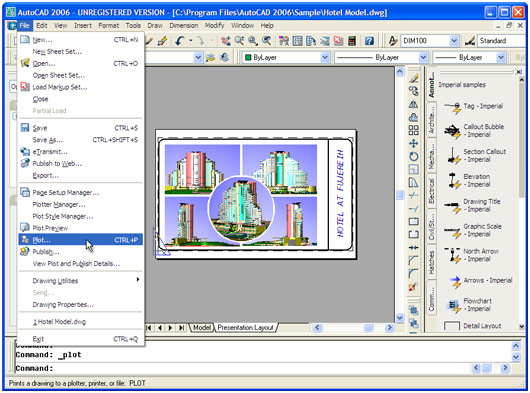
Open the drawing in AutoCAD and press File->Plot... in application main menu.
-
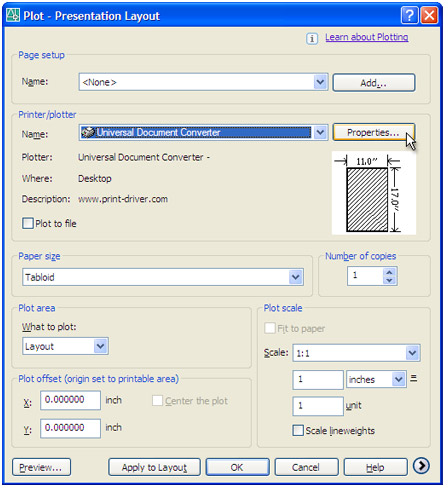
Select Universal Document Converter from the plotters list and press Properties button.
-
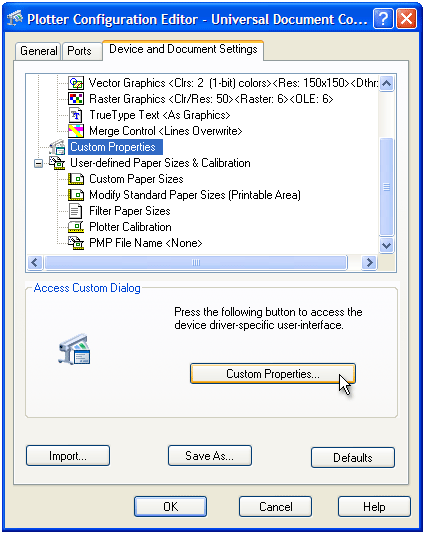
Select Custom Properties in Device and Document Settings tab and press Custom Properties button in Access Custom Dialog area.
-
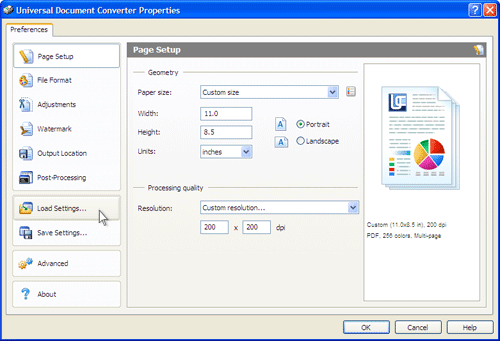
On the settings panel, click Load Properties.
-
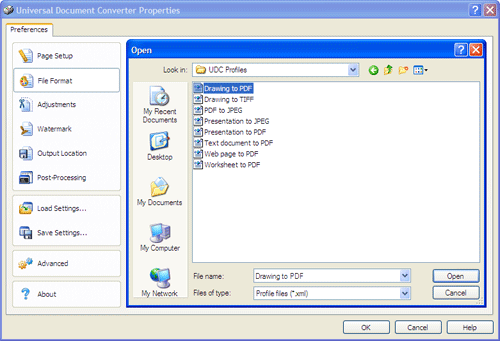
Use the Open dialog to select "Drawing to PDF.xml" and click Open.
-
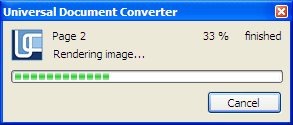
Press OK in the Plot window to start converting. When the PDF file is ready, it will be saved to the My Documents\UDC Output Files folder by default.
-
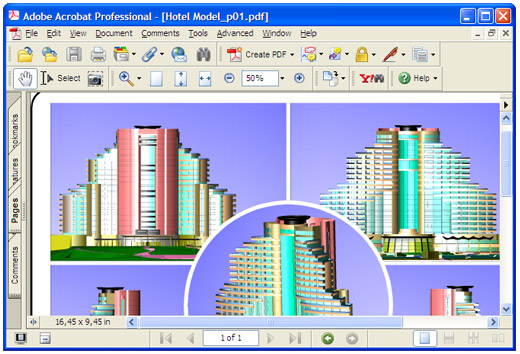
The converted drawing will then be opened in Adobe Acrobat or another viewer associated with PDF files on your computer.
|