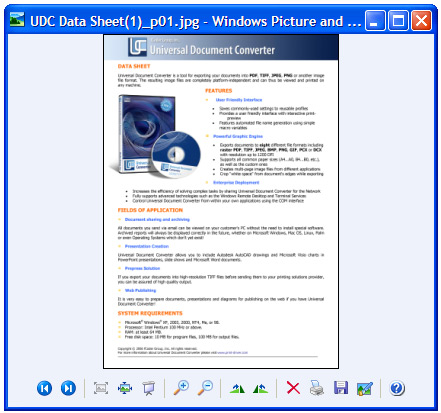
Universal Document Converter makes it easy to quickly convert Word files to graphic files using virtual printing. Converted files meet all specifications and can be opened in any image viewer or uploaded to the Internet. Universal Document Converter is the ideal solution for converting Word documents to graphic files.
-
Download and install Universal Document Converter software onto your computer.
-
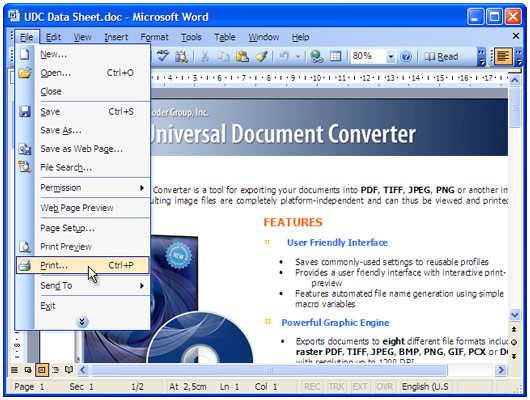
Open the document in Microsoft Word and press File->Print... in application main menu.
-
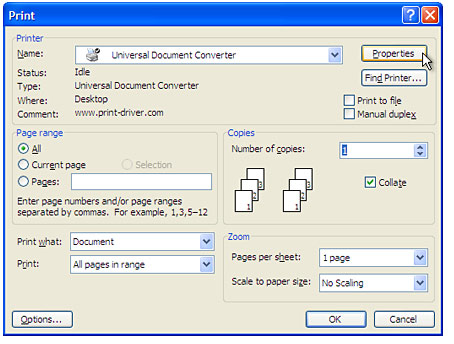
Select Universal Document Converter from the printers list and press Properties button.
-
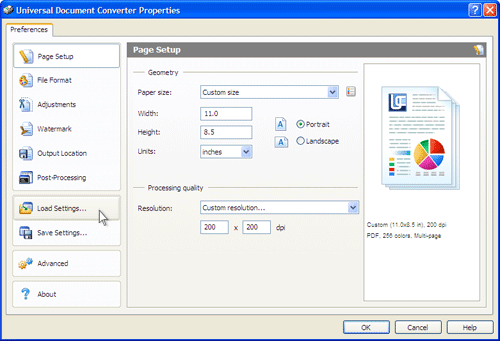
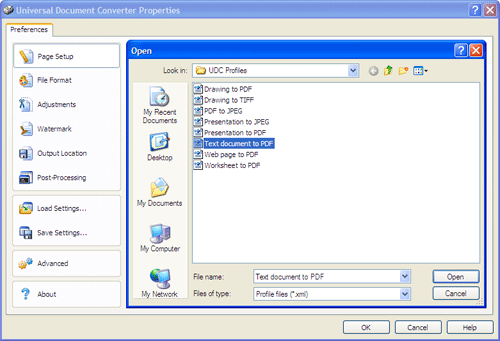
On the settings panel, click Load Properties.
-
Use the Open dialog to select "Text document to PDF.xml" and click Open.
-
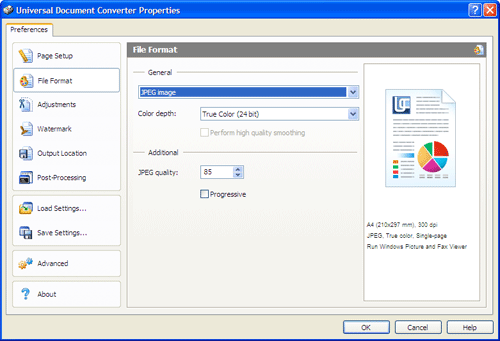
Select the required image format on the File Format tab and click
OK to close the Universal Document Converter Properties window.
-
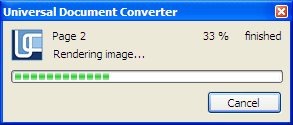
Press OK in Microsoft Word Print dialog to start converting. When the image file is ready, it will be saved to the My Documents\UDC Output Files folder by default.
-
The converted document will then be opened in a program adjusted as a default image viewer on your computer.