|
Microsoft Visio is one of the most popular software packages for creating diagrams and visual. However, Visio saves files in a proprietary format that few computers can open unless they have Visio installed. For this reason, Visio diagrams often have to be converted to PDF format before they can be shared. Universal Document Converter offers the best solution to this problem by converting Visio files to 100% standard-compliant PDF files that can be viewed on any computer.
Please follow this manual to start converting of Visio drawings.
-
Download and install Universal Document Converter software onto your computer.
-
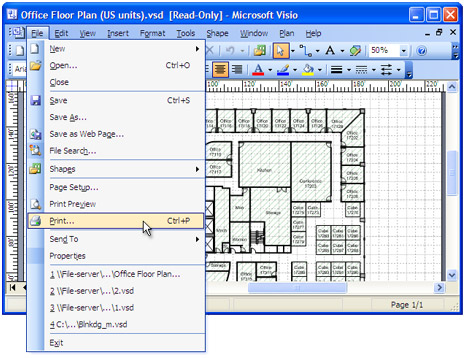
Open the drawing in Microsoft Visio and press File->Print... in application main menu.
-
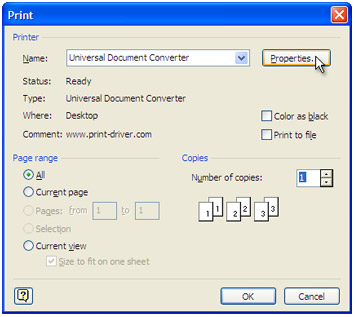
Select Universal Document Converter from the printers list and press Properties button.
-
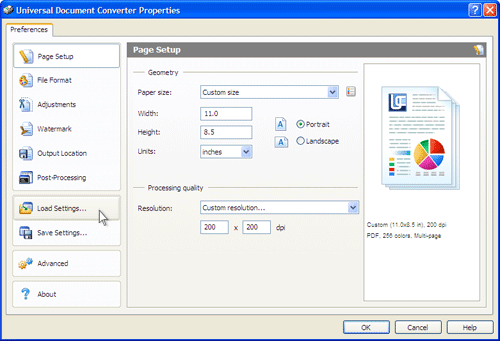
On the settings panel, click Load Properties.
-
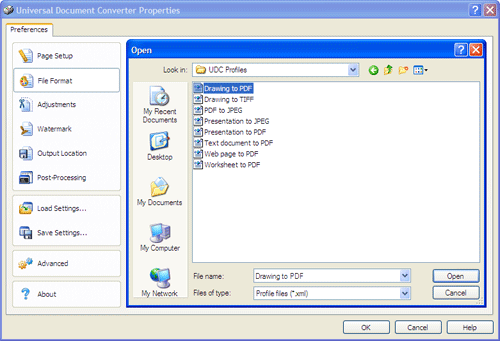
Use the Open dialog to select "Drawing to PDF.xml" and click Open.
-
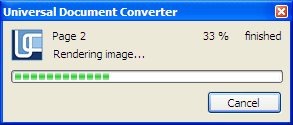
Press OK in Microsoft Visio Print dialog to start converting. When the PDF file is ready, it will be saved to the My Documents\UDC Output Files folder by default.
-
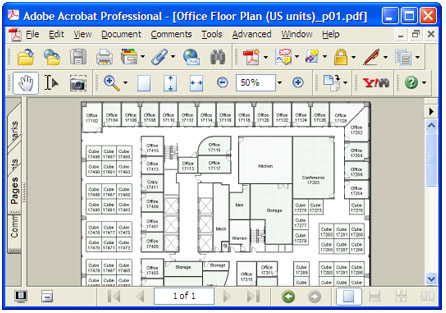
The converted drawing will then be opened in Adobe Acrobat or another viewer associated with PDF files on your computer.
|