|
Converting web pages to JPEG format is a solution for a number of different applications, such as including HTML files in a PowerPoint presentation. However, neither browsers nor other standard software is capable of performing this type of less common conversion. A specialized tool like Universal Document Converter is the best way to get the job done.
Please follow this manual to start converting of web pages.
-
Download and install Universal Document Converter software onto your computer.
-
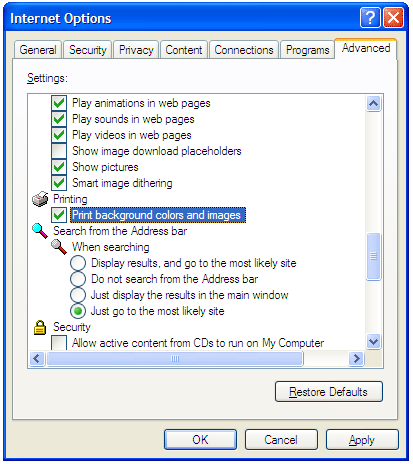
Open the web page in Internet Explorer. In main menu, go to Tools->Internet Options->Advanced. In Printing section check the Print Background colors and images option and press OK.
-
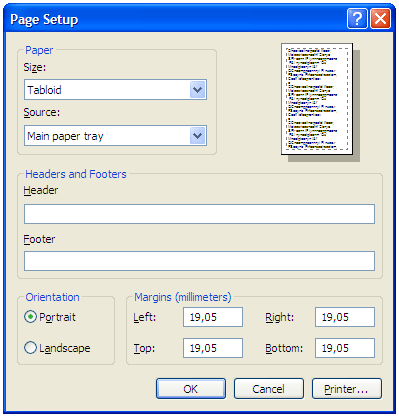
To remove page header and footer from output image file, in main menu press File->Page Setup. Remove any text from Header and Footer fields and press OK.
-
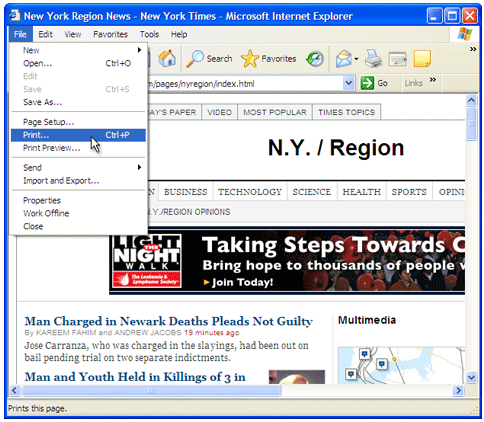
Press File->Print... in Internet Explorer main menu.
-
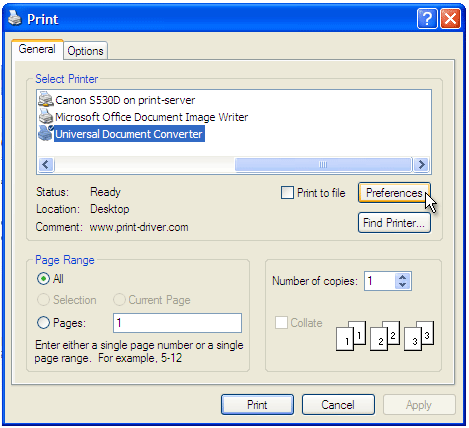
Select Universal Document Converter from the printers list and press Preferences button.
-
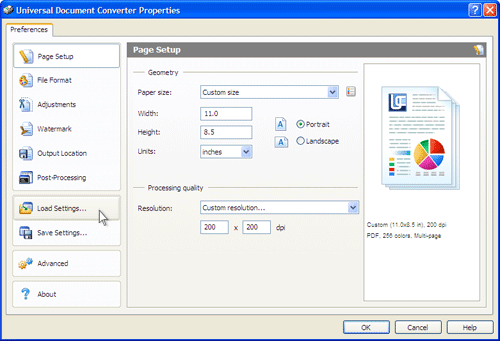
On the settings panel, click Load Properties.
-
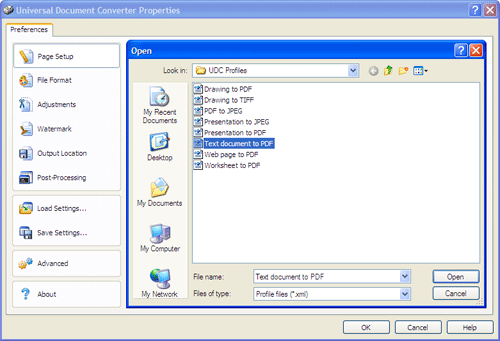
Use the Open dialog to select "Web
page to PDF.xml" and click Open.
-
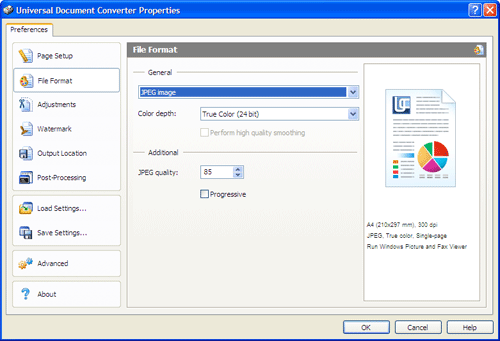
Select JPEG image on the File Format tab and click
OK to close the Universal Document Converter Properties window.
-
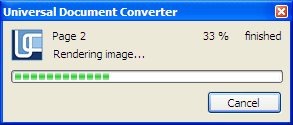
Press Print button to start converting. When the JPEG file is ready, it will be saved to the My Documents\UDC Output Files folder by default.
-
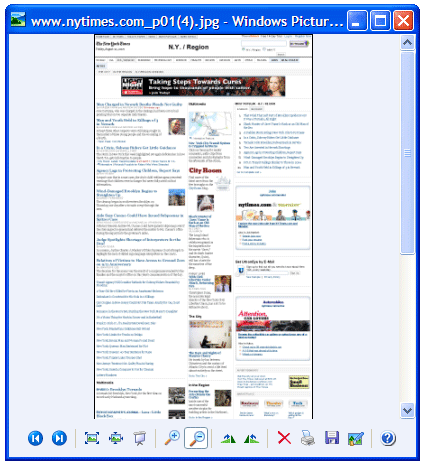
The converted document will then be opened in Windows Picture and Fax Viewer software or another viewer associated with JPEG files on your computer.
 |