|
For companies that make price sheets and other Microsoft Excel spreadsheet data available on your website, it may make sense to convert these files to JPEG format. Since JPEG files can be viewed directly in any web browser, this makes your information accessible to users whose companies do not allow them to download files or who do not have Excel installed on their computers. With Universal Document Converter, users can quickly and easily convert Excel spreadsheets to JPEG format.
Please follow this manual to start converting of Excel file (*.xls).
-
Download and install Universal Document Converter software onto your computer.
-
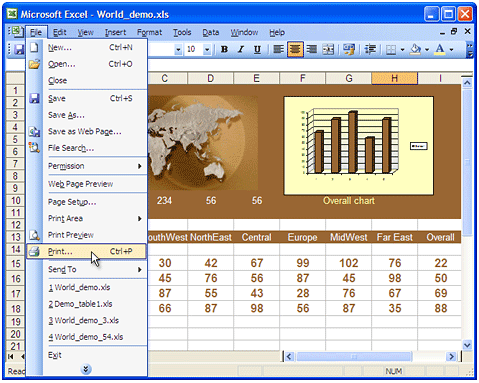
Open Excel file (*.xls) in Microsoft Excel and press File->Print... in the application main menu.
-
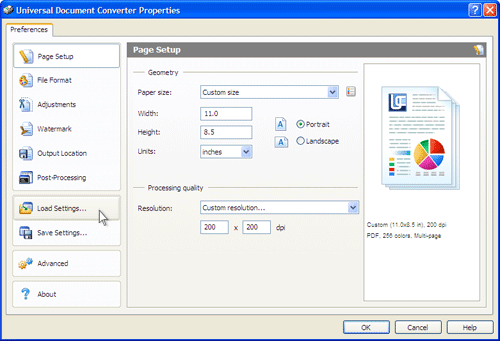
On the settings panel, click Load Properties.
-
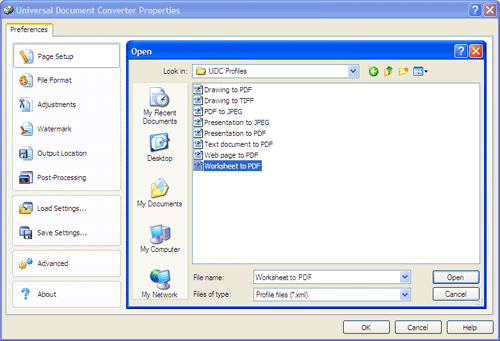
Use the Open dialog to select "Worksheet to PDF.xml" and click Open.
-
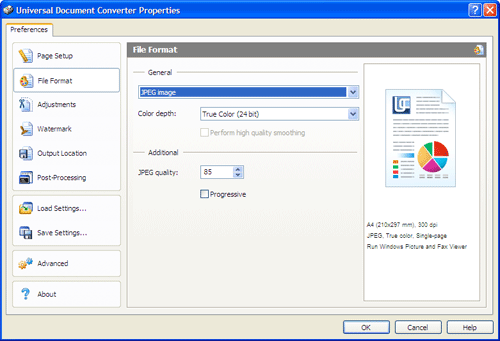
Select JPEG image on the File Format tab and click
OK to close the Universal Document Converter Properties window.
-
Press OK in Microsoft Excel Print dialog to start converting. When the JPEG file is ready, it will be saved to the My Documents\UDC Output Files folder by default.
-
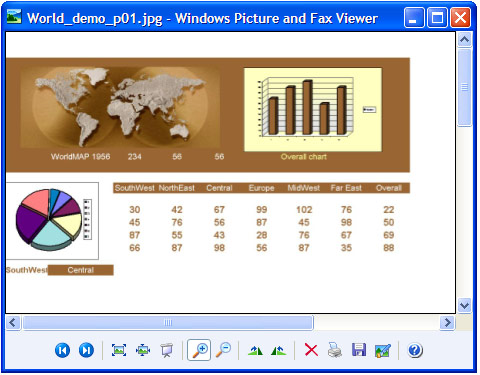
The converted spreadsheet will then be opened in Windows Picture and Fax Viewer software or another viewer associated with JPEG files on your computer.
|